
Detailed Manual and Support
Complete initialization guide, backup management, and FAQ resolution to operate with total safety on the network.
Getting Started Guide
APK Installation
Download the installable file from our official section. If your Android device warns you about unknown origins, temporarily enable installation from your phone's security settings.
Wallet Generation and Backup
When opening the app, a "New Wallet Will Be Created". A sequence of 12 keyword phrases (Seed Phrase) will be generated. Note them down strictly on paper, in order, and keep them in a safe place. Nobody in the world can recover your phrase if you lose it.
Synchronization and Networks
The application automatically synchronizes your balances and transactions smartly to optimize battery and data consumption, maintaining a direct and secure channel with the network.
Sending Transactions and Fees
When making a transfer, the Bitcoin network will calculate the recommended miner fee.
Interactive Screens Carousel
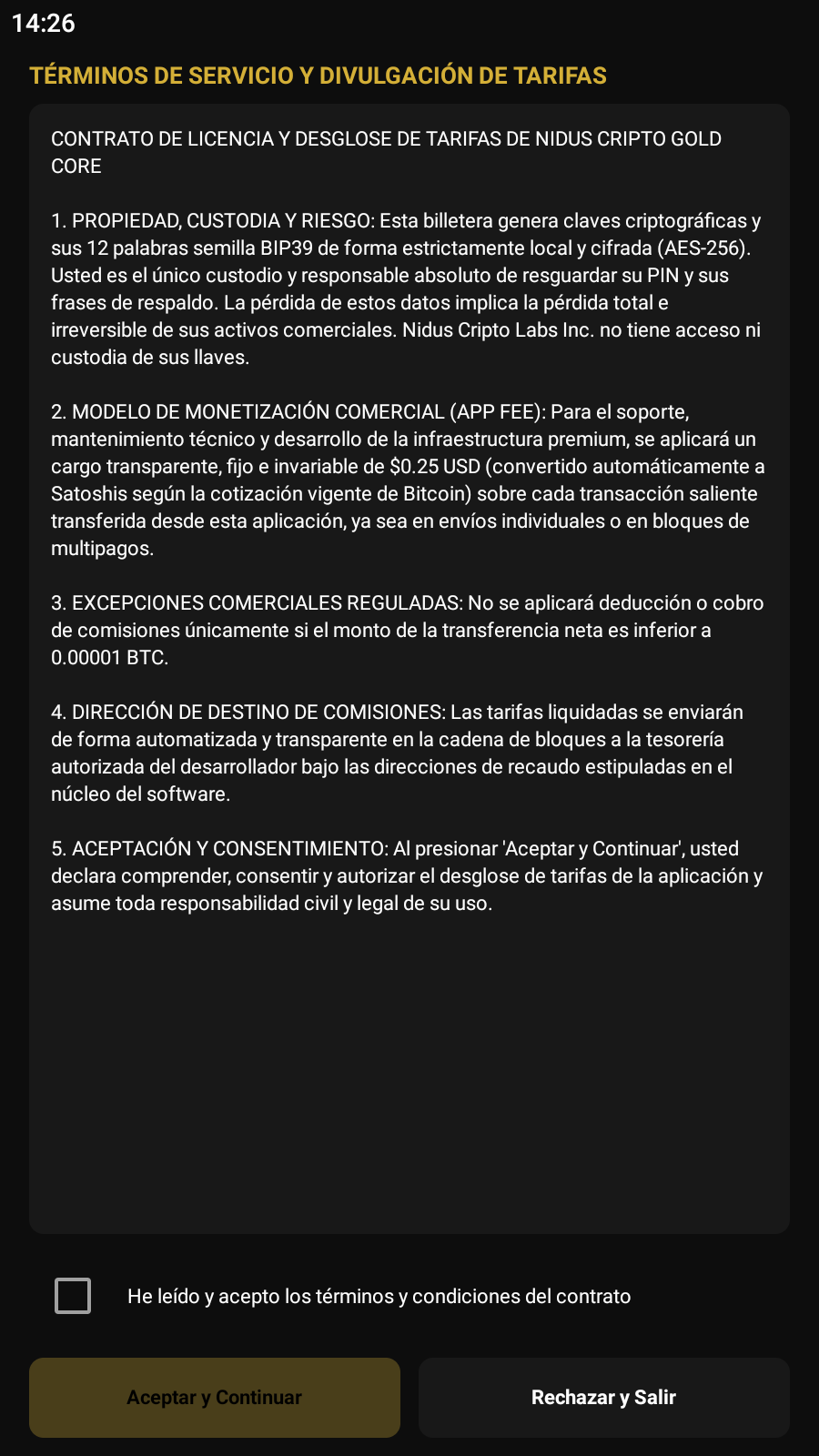
1. Terms of Service and Fee Disclosure
Carefully read the terms and accept them in compliance to proceed.
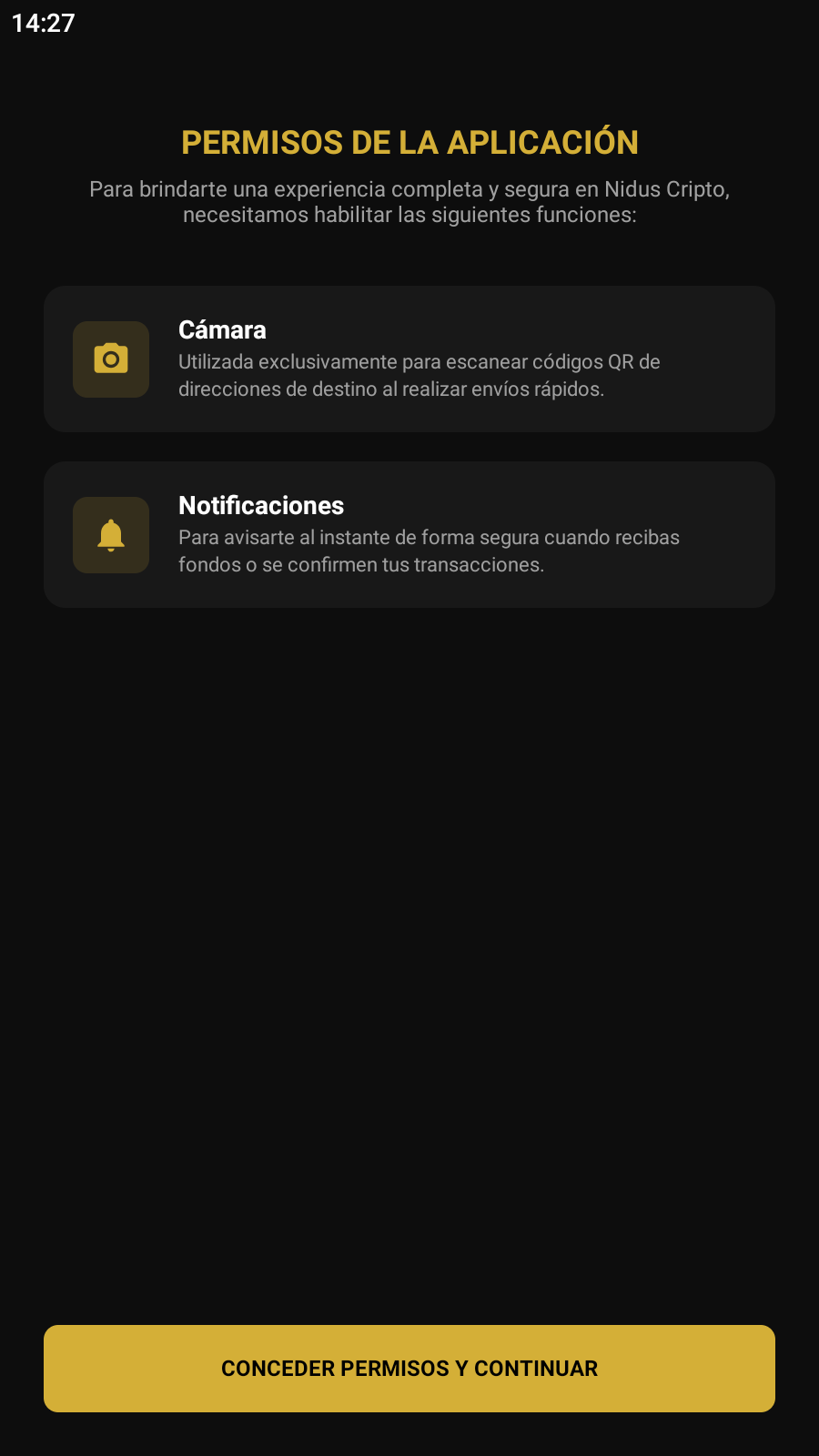
2. App Permissions
For the application to function correctly, it is recommended to grant permissions for both camera and notifications.
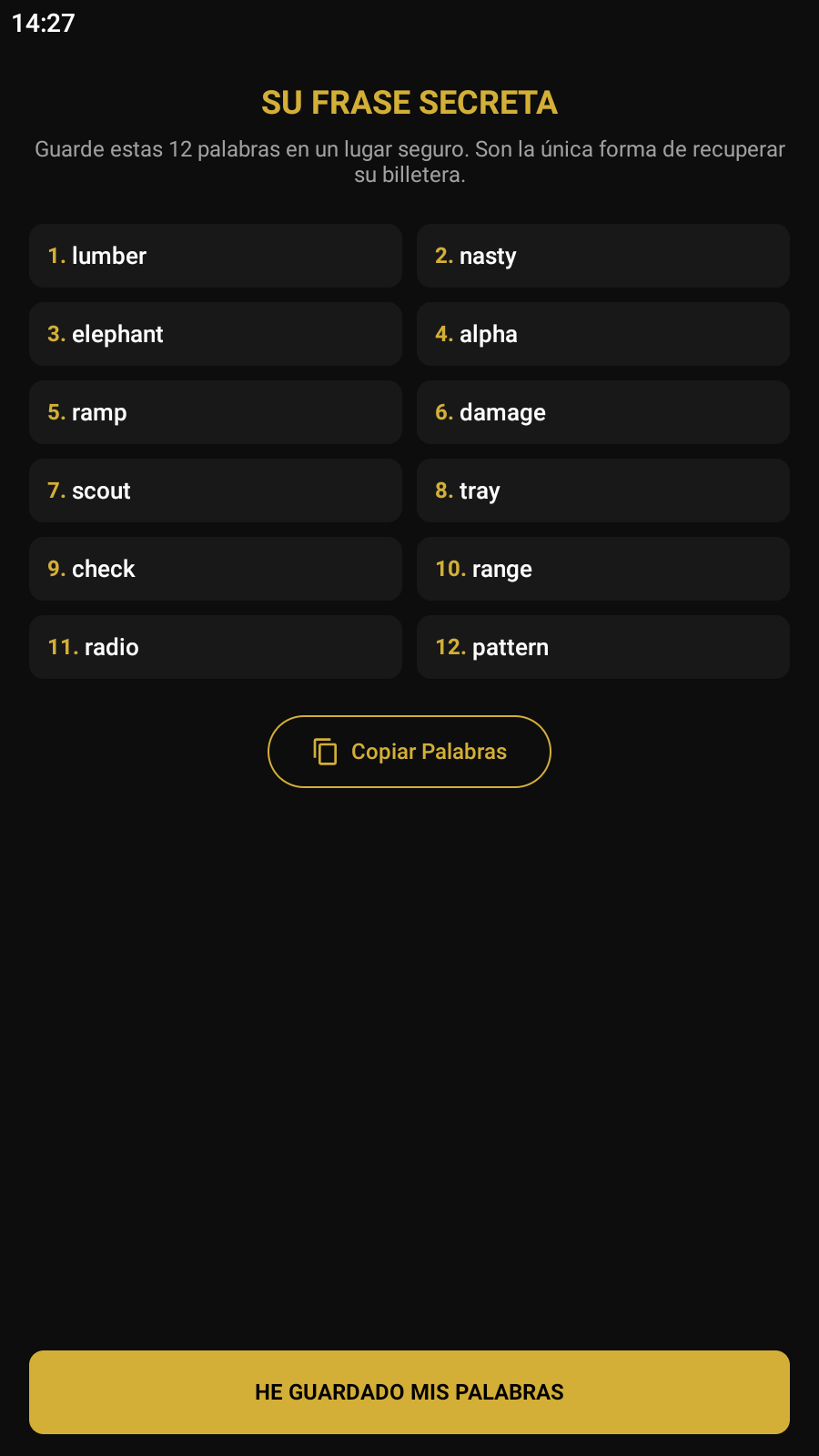
3. Secret Seed Phrase
Safeguard your seed phrase and do not disclose it to anyone. It is your only way to recover your BTC; if you lose it, you are solely responsible.
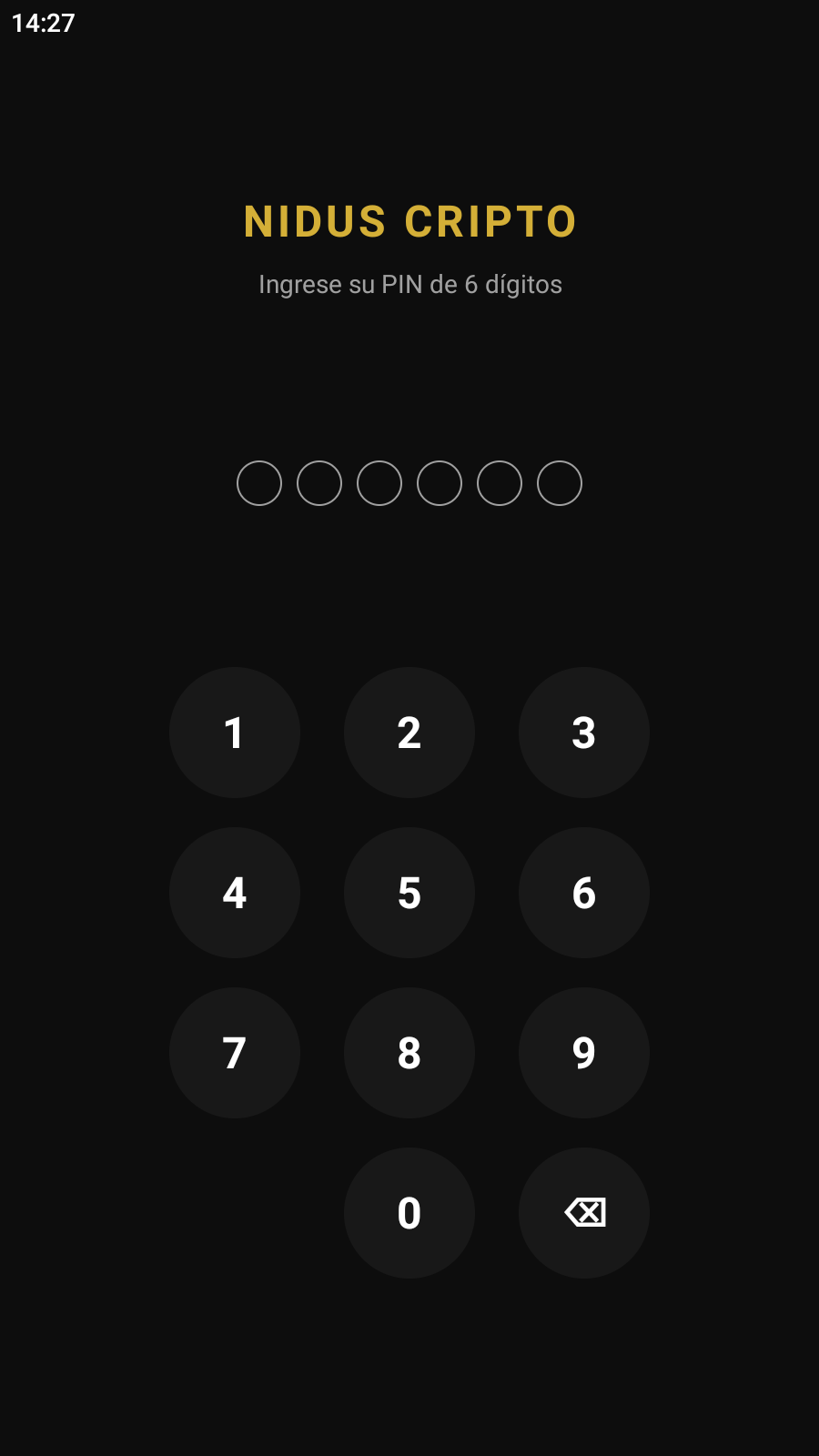
4. Wallet Encryption
Create a 6-digit PIN to encrypt your wallet and make it much safer, plus in the options menu you can change it later if you wish and even activate biometrics.
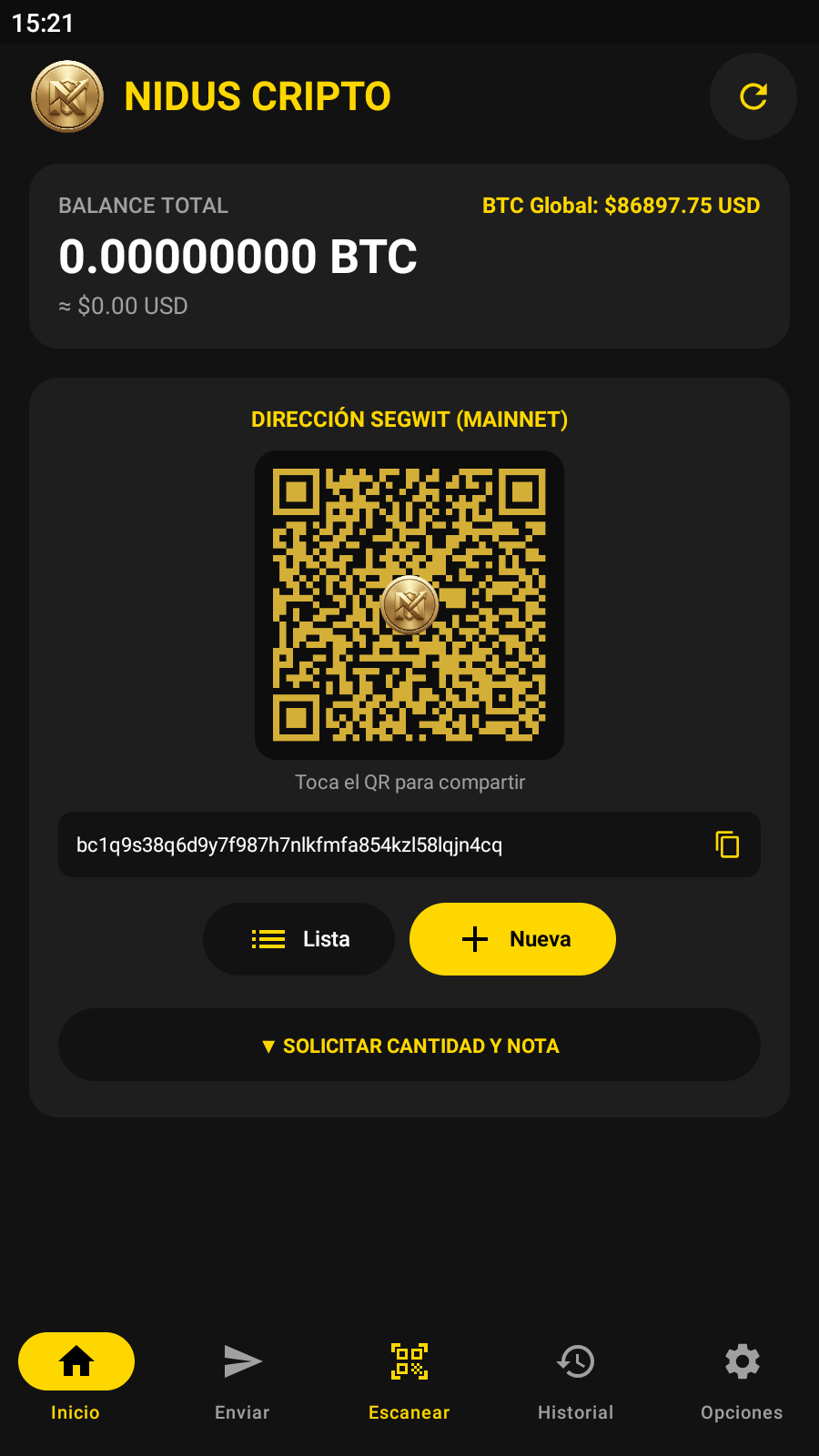
5. Initial Screen
Here you will see your balance in BTC and USD, the global BTC price, and your SegWit addresses. You can also easily configure amounts and notes to request BTC.
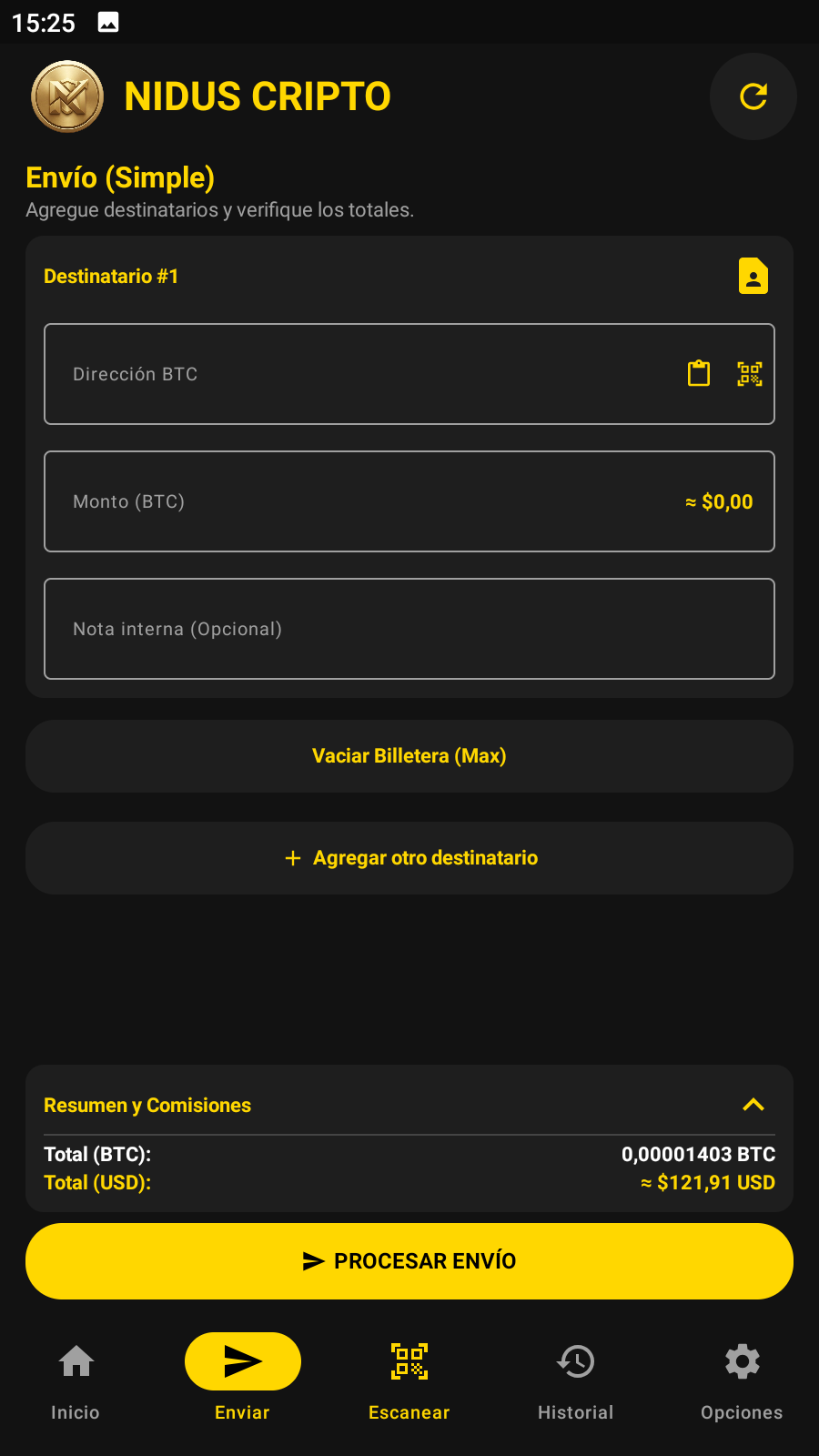
6. Send Screen
Features two modalities (Simple and Multi-pay) to send to a single address or perform bulk sends saving on mining fees.
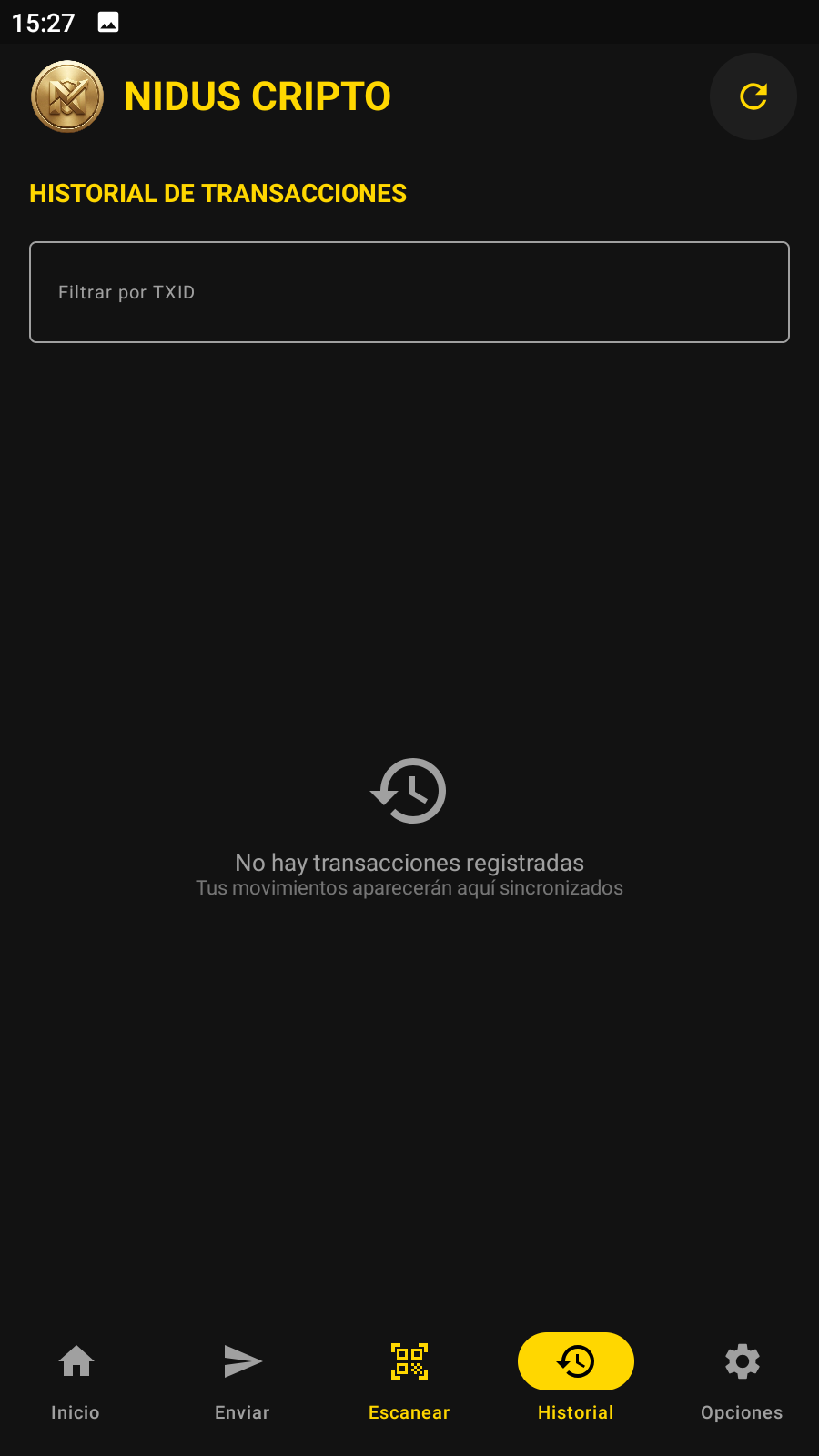
7. Transaction History
List of transactions with TXID filter and direct links to view them on the block explorer.
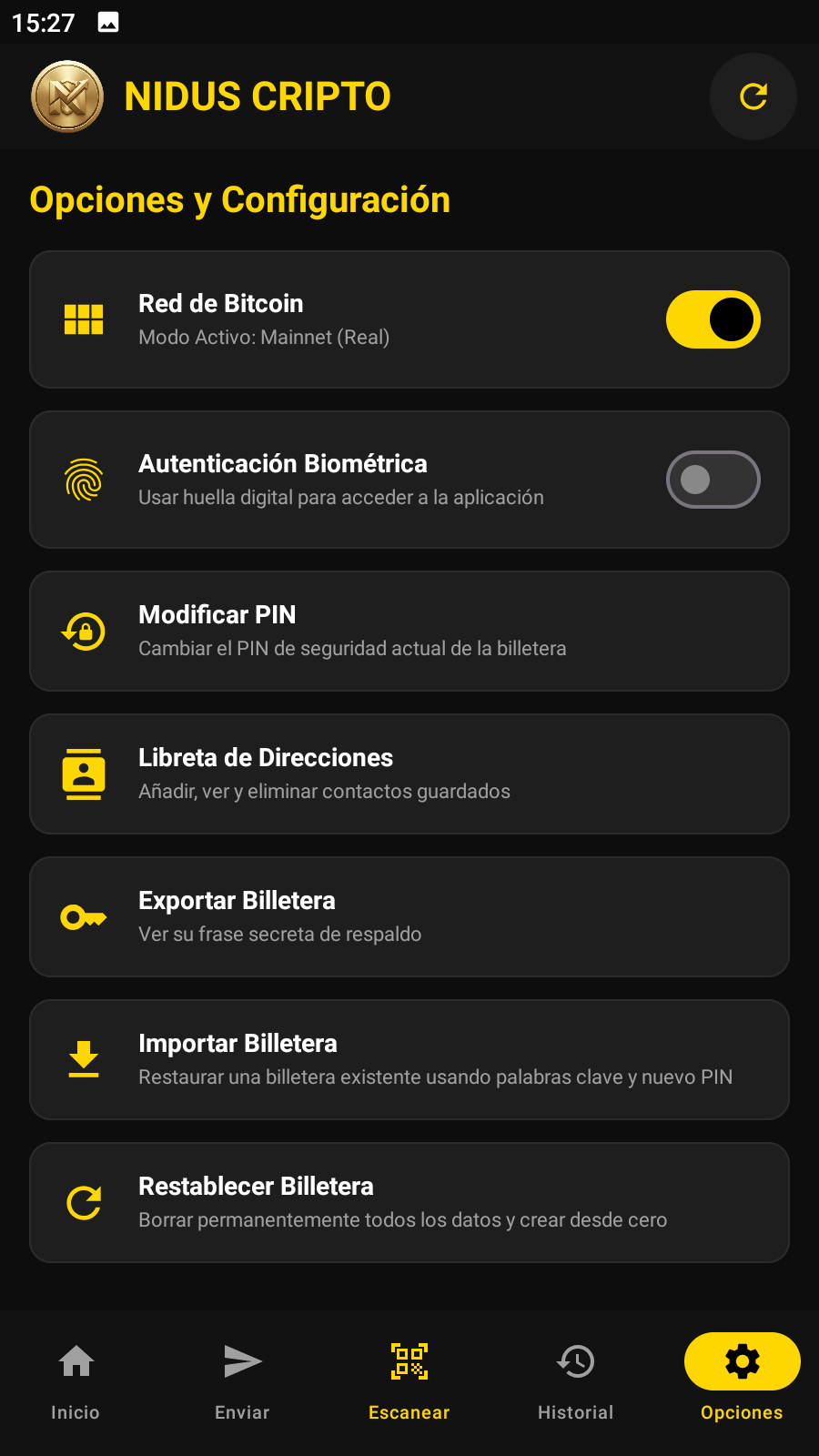
8. Options and Settings
Allows switching network (Mainnet/Testnet), enabling biometrics, changing PIN, managing contacts, exporting, importing, and resetting wallet.
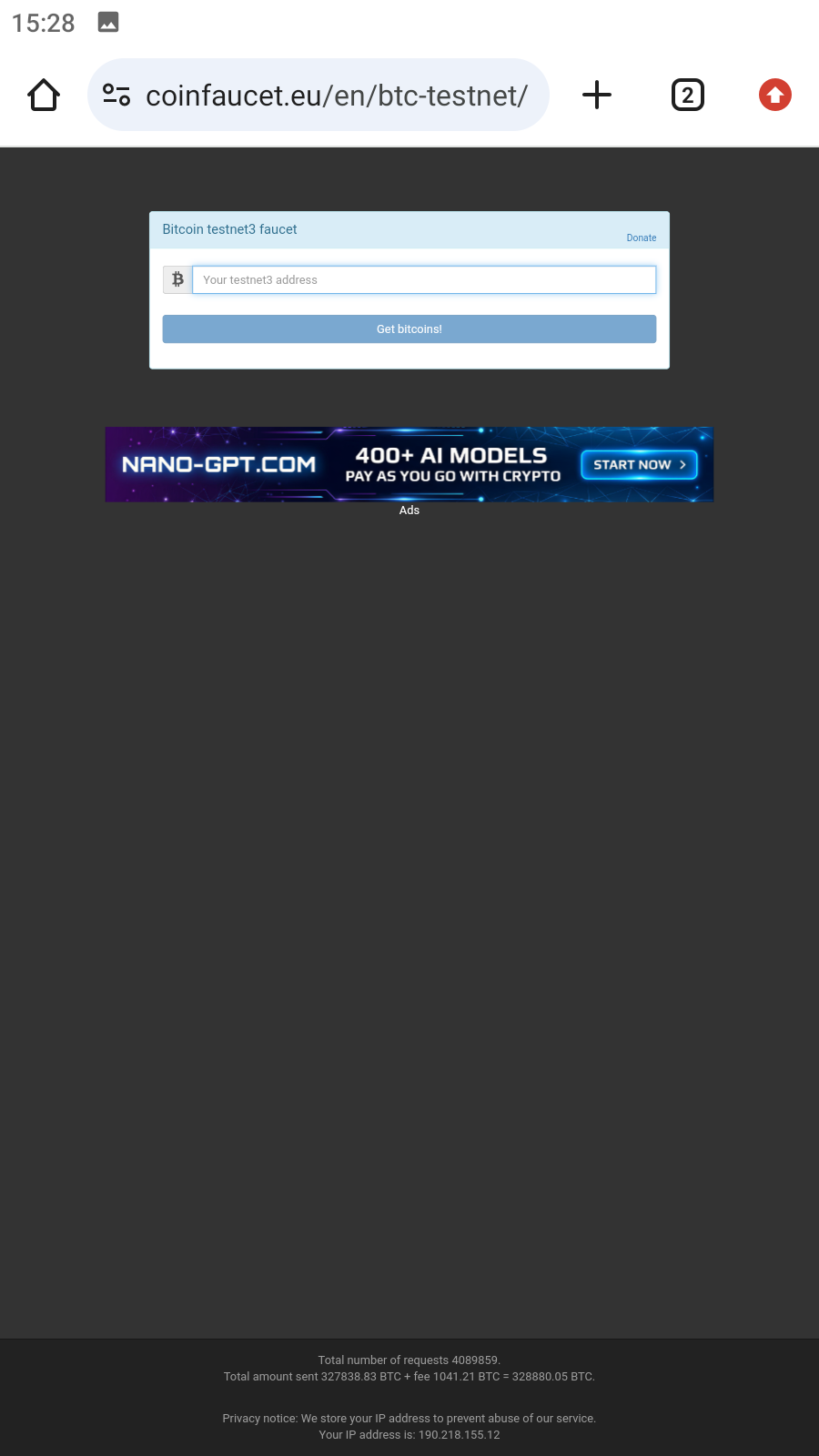
9. Satoshis Request (Testnet)
Request free satoshis on the official faucet and test the app on the test network without risking real money.
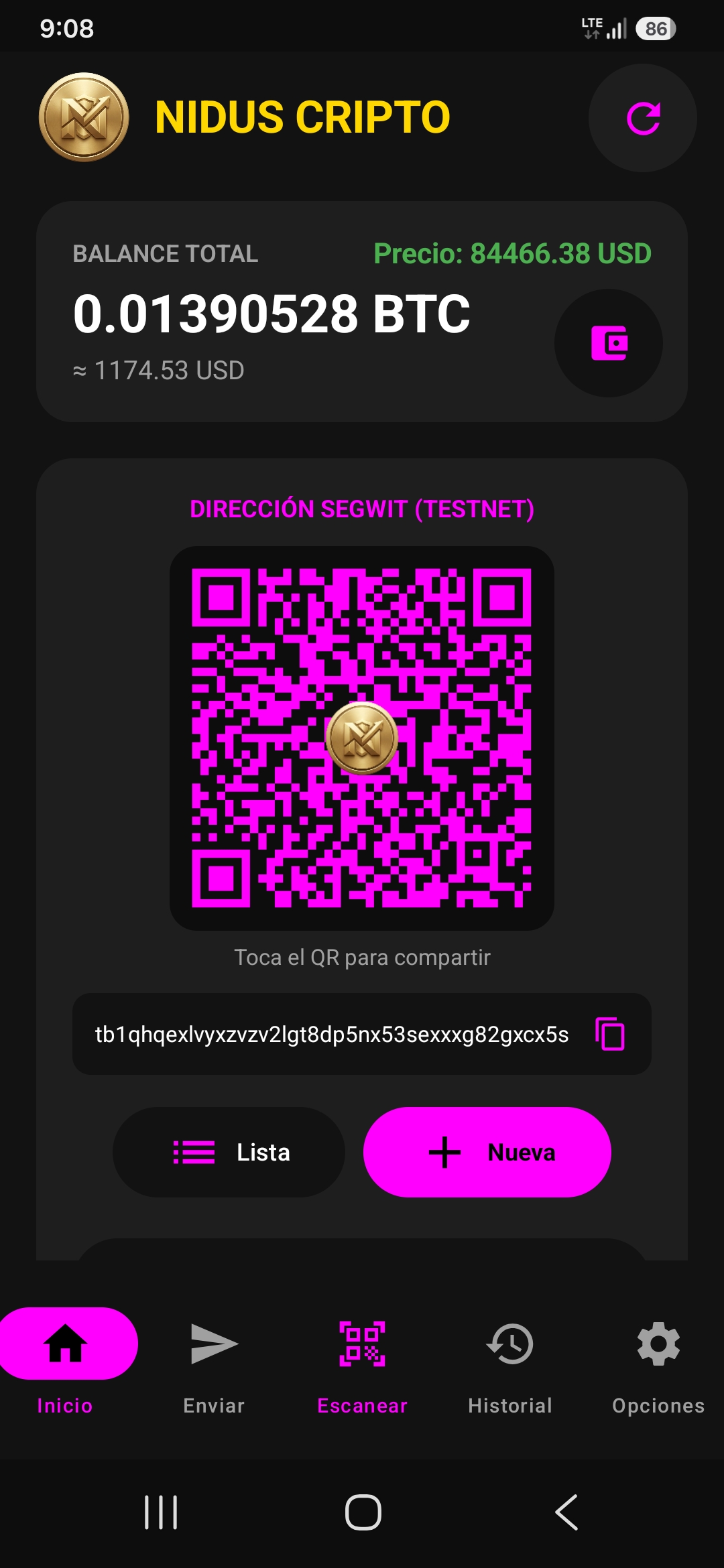
10. Receive BTC and use the app
Once you have received your satoshis, you can share them with friends or family while testing out all the advanced features of your non-custodial Bitcoin wallet; additionally, you can tap the wallet-shaped button below the Bitcoin price to access your portfolio, where you will see the value of your holdings fluctuate in line with the price of Bitcoin.
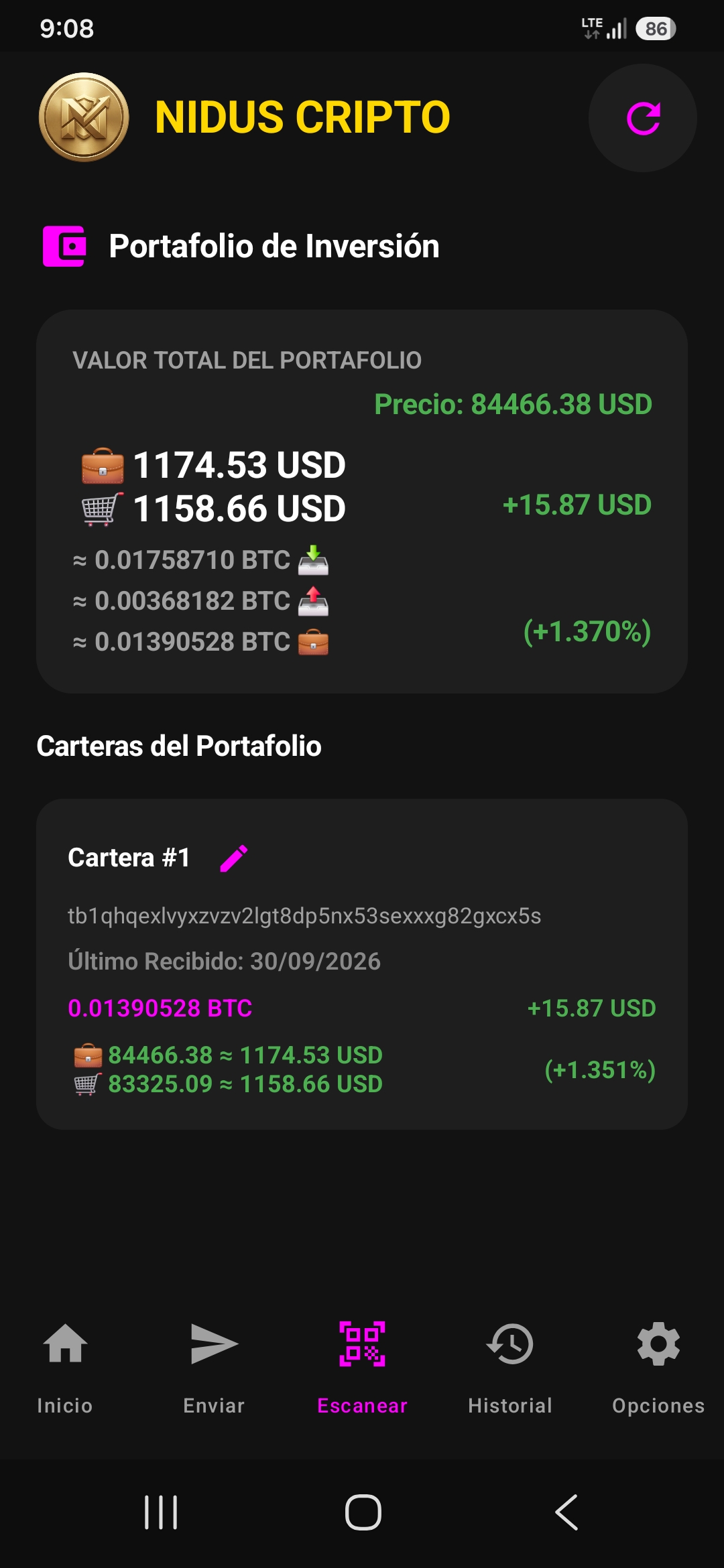
11. Investment Portfolio
Your investment portfolio provides a detailed view of your wallet's actual value by categorizing each address as a distinct asset or holding. You can track value fluctuations as the price of Bitcoin rises or falls; the system compares the price at the time of a specific BTC deposit against the current market price to show whether your portfolio is in profit or at a loss. However, since you own the actual Bitcoin units, no one can take them away from you the monetary value is merely speculative and fluctuates with the price. Unlike on an exchange, where you risk losing your funds, here your Bitcoins remain yours; even if the price were to drop to zero, you would still retain the units in your wallet.
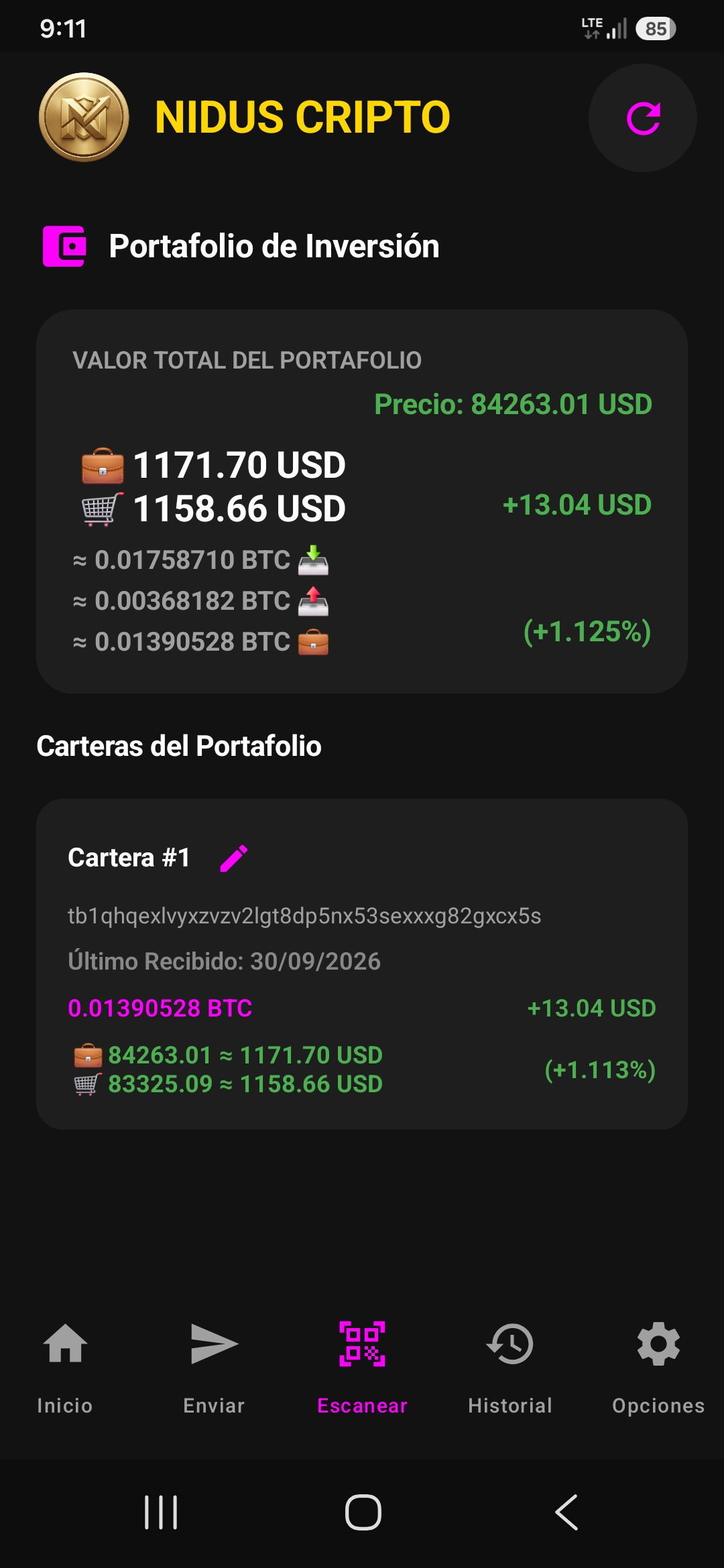
12. Example of a price change
As you may have noticed in the previous image, the price of Bitcoin was $84,466.38 with an available balance of 0.01390528 BTC; multiplying that by the price yields a total value of $1,174.53, representing a gain of +$15.87. Now, if we compare this to the current Bitcoin price of $84,263.01 which updates every two minutes we see a drop in your gains because the price has fallen; your profit is now +$13.04, a decrease of about $2.83. However, the key takeaway is that your holdings remain intact 0.01390528 BTC and you can transfer them to anyone on the Bitcoin network. That is the major difference between a standard exchange and NidusCripto: we restore sovereignty to individuals, just as it was always meant to be. That, my friend, was the original purpose of Bitcoin: to achieve financial sovereignty.
Frequently Asked Questions (FAQ)
What happens if I lose my phone or uninstall the application?
Your funds are not on the phone; they are on the blockchain. You can regain absolute control of your assets on any other compatible device by simply entering your 12-word seed phrase.
Can you freeze my funds or block my account?
No. Being a 100% non-custodial wallet, the application does not store your private keys on any external server. Only you have control and mathematical ownership of your cryptocurrencies.
If I lose my seed phrase, can you recover it?
No, you are solely responsible for safeguarding your seed phrase; if you lose it, the responsibility is yours. We have clearly stated this before: we do not act as custodians of your wallet you are the one in control of your security and your Bitcoins.
Physical Seed Phrase Backup Template
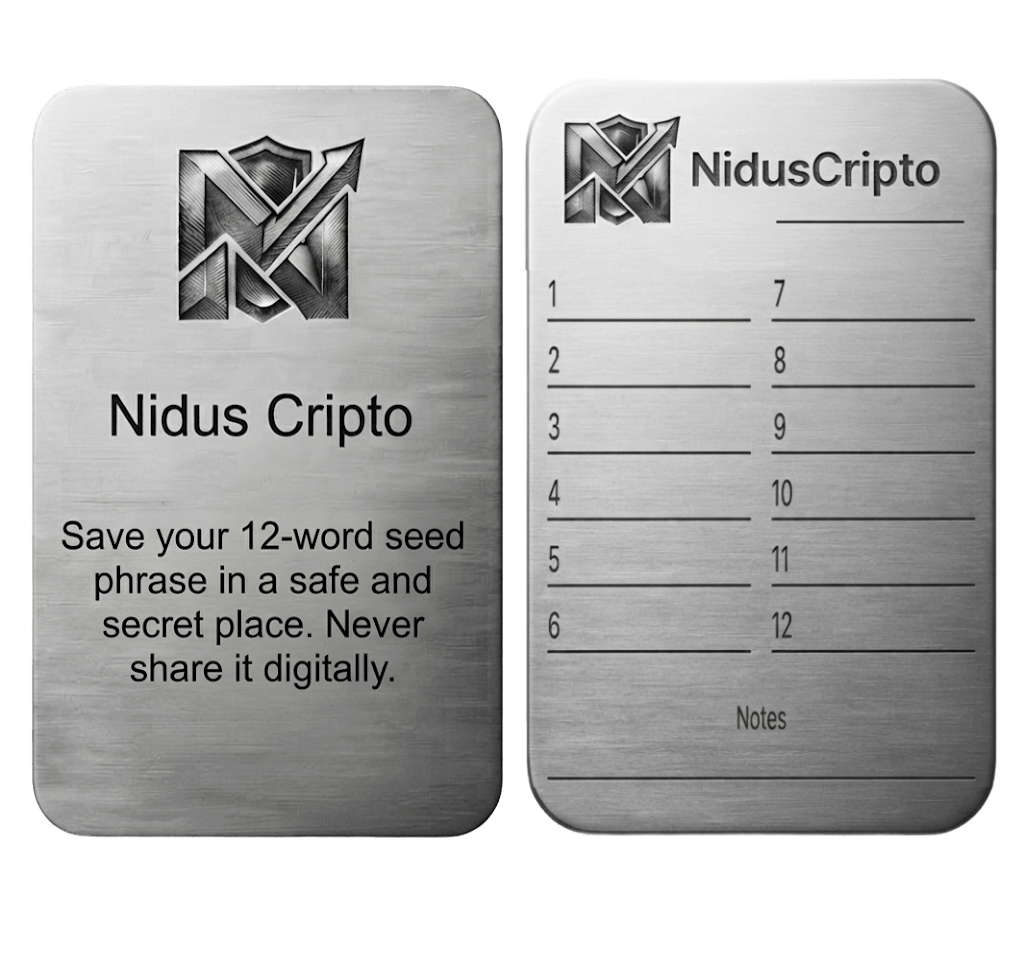
The security of your cryptocurrencies depends entirely on you. We invite you to download our official double-sided template to record your 12 words physically, offline, and securely. Never store your seed phrase in screenshots, digital notes, or cloud services.
Get the Official Version
Choose your preferred method to get the compiled and signed executable file for Android.